Product photography is expensive. Professional shoots cost thousands. Samples need shipping. Editing takes weeks.
However, AI image generation changes that equation completely.
You can now create product images without physical samples, studios, or photographers. Instead, the technology generates photorealistic visuals from text descriptions or reference images using tools such as DALL·E and Midjourney.
The quality is not perfect for every use case. Still, for catalog coverage, seasonal variations, and content testing, AI-generated images work effectively.
Here’s what AI image generation for ecommerce product catalogs actually delivers and where it still falls short.
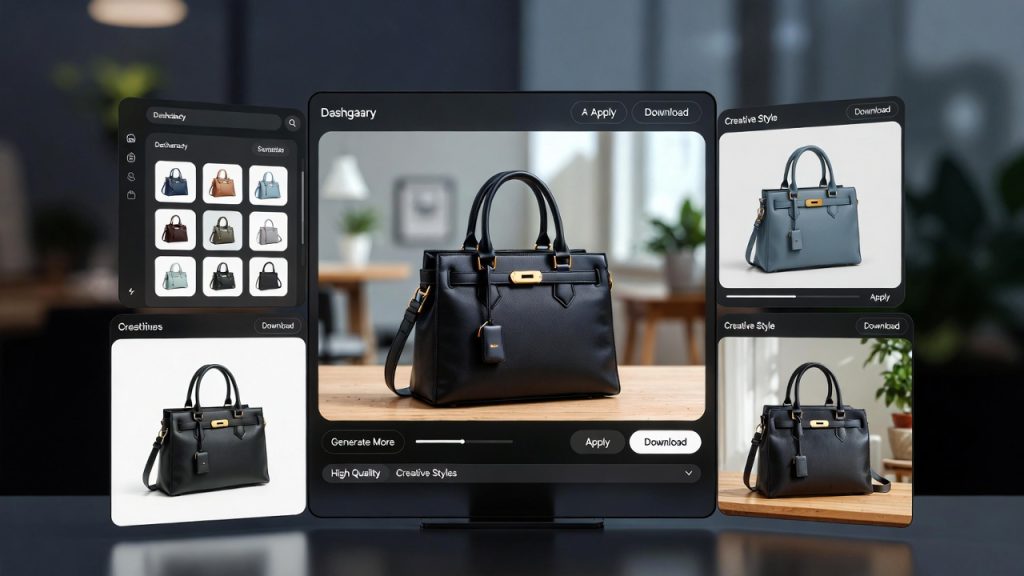
Why Ecommerce Brands Are Using AI Images
Catalog gaps are the main driver. Most brands cannot afford professional photography for every SKU, especially fast-moving inventory.
As a result, AI fills those gaps. You can generate images for new products before samples arrive. Additionally, you can create seasonal variants without reshooting. You can also test visual concepts before investing in full production.
Speed matters too. Traditional product photography requires weeks of planning, shooting, and editing. In contrast, AI generates images in minutes.
Cost is another major factor. A professional product shoot costs $500 to $5,000 depending on complexity. By comparison, AI image generation costs significantly less per image.
Because of this combination of speed, cost efficiency, and catalog coverage, AI has become viable for mid-market brands that previously relied on inconsistent vendor-supplied photos. Many businesses are now exploring automation workflows through platforms like D2CBot to streamline AI-driven visual production.
What AI Image Generation Does Well
AI excels at certain image types.
Lifestyle shots work surprisingly well. For example, you can place products in realistic environments without location shoots. A backpack on a mountain trail. A lamp in a modern living room. A watch on a wrist in natural light.
At typical ecommerce resolutions, the images look convincing. In fact, most customers cannot distinguish between AI and real photography when prompts are well crafted.
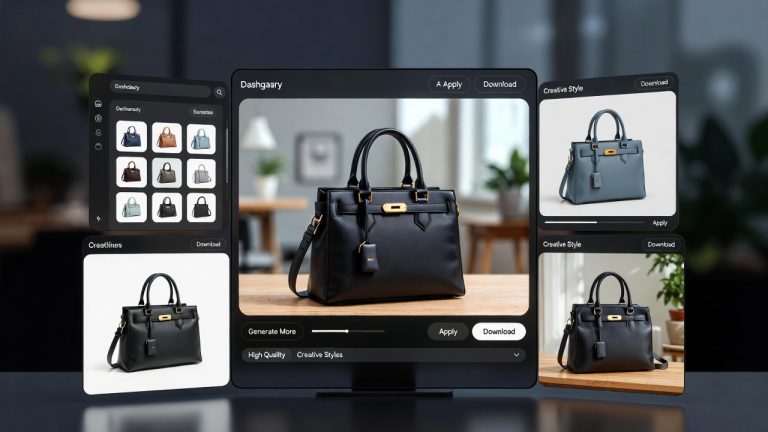
Background variations are especially efficient. One product image can appear in dozens of settings, including a beach, office, urban street, or cozy bedroom. Each variation can target different customer preferences and buying scenarios.
AI also handles angles and perspectives that would otherwise require multiple camera setups. You can generate top-down, side, angled, and close-up views from a single reference image.
Color and material changes are straightforward as well. For instance, you can convert a blue shirt to red, a wood table to marble, or a leather bag to canvas without reshooting.
Where AI Image Generation Still Struggles
AI is not ready to replace all product photography.
Close-up detail shots often fall short. Texture rendering can appear unnatural. Stitching on fabric may look blurred. Metal finishes sometimes lack depth. Fine details frequently get smoothed or distorted.
Technical accuracy is inconsistent. Occasionally, AI adds or removes product features. A shoe might show the wrong number of eyelets. A laptop may display incorrect port placement.
Branded elements create additional challenges. Logos, text, and specific design details often render incorrectly. Therefore, if your product includes visible branding, AI outputs require careful editing to correct text clarity.
Consistency across image sets can also be difficult. Multiple generations of the same product may not maintain exact color, scale, or proportions. Consequently, manual refinement is necessary to ensure catalog accuracy.
Human models add further complexity. Hands holding products sometimes look unnatural. Faces and body proportions require careful prompting to avoid unrealistic results.
Best Use Cases for AI Product Images
AI works best for the following:
- Catalog expansion when no product photos exist
- Seasonal or themed variations of existing products
- Lifestyle and context shots that do not require extreme detail
- Concept testing before committing to professional photography
- Secondary images that support primary product shots
Most brands adopt a hybrid model. Hero images and primary product visuals remain professionally photographed. Meanwhile, secondary lifestyle shots, color variants, and contextual imagery are generated using AI tools such as Stable Diffusion or ecommerce-focused platforms like PhotoRoom.
Creating Effective Image Prompts
Prompt quality determines output quality.
Generic prompts produce generic images. On the other hand, detailed prompts deliver usable results.
Include:
- Product type and key features
- Desired environment or background
- Lighting style such as natural or studio
- Angle and perspective
- Mood and aesthetic
Example generic prompt: “Product on a table”
Example specific prompt: “A stainless steel water bottle on a wooden picnic table in a forest setting, natural afternoon lighting, slightly angled view, outdoor adventure aesthetic, shallow depth of field”
The specific prompt provides enough direction to create a coherent, on-brand image.
Avoid vague descriptors such as “professional” or “high-quality,” since AI may interpret them inconsistently.
Editing and Refining AI Outputs
AI images rarely work straight out of the generator.
Expect to:
- Adjust colors to match brand standards
- Remove artifacts or distortions
- Fix text or logo rendering
- Verify product proportions
- Align lighting and shadows across images
For this reason, most ecommerce brands treat AI generation as the first step. Designers then refine the outputs for final polish.
Although refinement requires time, it remains significantly faster and more affordable than traditional production workflows.
Maintaining Brand Consistency
AI can produce widely varying styles if left unchecked.
To prevent inconsistency, create a visual style guide specifically for AI image generation. Include:
- Approved backgrounds
- Lighting preferences
- Brand color palette
- Composition rules
- Tone and mood standards
Some platforms allow saved presets to maintain consistency across large catalogs. Additionally, uploading reference images helps AI match your established visual identity more accurately.
Performance and Conversion Impact
The critical question remains whether AI-generated images convert as effectively as professional photos.
Early results suggest they can, depending on category and execution quality. Customers respond strongly to context and clarity. Therefore, high-quality AI lifestyle images often perform similarly to professional alternatives.
However, primary product shots should still rely on real photography. Customers expect precision and accuracy for hero visuals. AI works best for supporting images rather than flagship product displays.
Ultimately, A/B testing remains essential. Compare AI-generated visuals against traditional photography within your specific product category to determine performance impact.
When to Stick with Professional Photography
Professional photography still makes sense for:
- Hero product images on major landing pages
- High-value or luxury products
- Technical items requiring precise detail
- Products with complex branding
- Campaigns where brand perception depends on premium presentation
The strongest ecommerce strategies combine both approaches. Professional photography anchors trust. AI expands scale and experimentation.
Conclusion
AI image generation has reshaped how ecommerce brands approach product visuals. It removes cost and speed barriers that once limited catalog coverage. As a result, brands can launch faster, test more concepts, and support larger inventories without repeated reshoots.
At the same time, AI is not a full replacement for professional photography. Accuracy, fine detail, and premium brand perception still require human oversight.
The most effective strategy is hybrid. Use AI for scale, experimentation, and supporting imagery. Reserve professional photography for hero products and high-impact visuals. When applied strategically, AI image generation becomes a practical production tool that expands creative capacity without compromising customer trust.
FAQs
Can customers tell when product images are AI-generated?
Not usually, especially for lifestyle shots and contextual images. Customers notice poor-quality AI images with visible artifacts. High-quality AI images at standard ecommerce resolutions are difficult to distinguish from real photos.
Are AI-generated product images legal to use commercially?
Most major AI tools offer commercial licensing, but the legal landscape is evolving. Use tools with clear terms of service and avoid generating images that mimic copyrighted works. Consult legal counsel if your brand faces high scrutiny.
How much does it cost to generate product images with AI?
Most tools charge $10 to $100 per month for unlimited or high-volume generation. Per-image costs range from $0.10 to $1.00 depending on the tool and quality settings. Far cheaper than traditional photography.
Do AI product images hurt SEO or search rankings?
No evidence suggests AI images harm SEO. Search engines evaluate image relevance, file optimization, and alt text quality, not creation method. Properly optimized AI images perform as well as traditional photos in search.
What’s the biggest mistake brands make with AI product images?
Publishing without editing. AI outputs almost always need refinement for color accuracy, artifact removal, and brand consistency. Unedited AI images often look off-brand or contain subtle errors that reduce trust.