Quick Summary:
- Free FAQ generator for website automates FAQ creation
- Saves time and reduces customer support load
- Improves SEO with structured data
- Enhances user experience with instant answers
Free FAQ Generator for Website: Why It Matters
Imagine losing potential customers because they couldn’t find quick answers on your website. For many website owners, this is a daily frustration.
Tools like d2cbot’s free FAQ generator for website solve this by automating the process of creating accurate and engaging FAQ sections that cater to user needs.
With AI doing the heavy lifting, you can ensure your visitors get instant answers without wading through endless pages.
Moreover, beyond saving time, d2cbot’s AI-driven platform tailors FAQs to match your brand’s tone and user behavior, ensuring a seamless experience.
Whether you’re addressing common customer inquiries or improving your site’s SEO performance, this tool adapts to your needs.
If you’re also optimizing content workflows, explore automated content creation tools that streamline marketing workflows.
What Is a Free FAQ Generator for Website?
A free FAQ generator is a tool that automatically creates Frequently Asked Questions (FAQs) and their answers to enhance website content.
These tools use algorithms or AI technology to generate relevant, structured information based on user input, such as keywords or topics.
As a result, they streamline the creation of FAQ sections while ensuring consistent formatting and logical organization.
For example, websites using FAQ generators have reported a 30% reduction in customer support queries within the first month of implementation.
Additionally, these tools are widely used across websites, e-commerce platforms, and blogs to improve user engagement.
Key Features for User-Friendly Customization
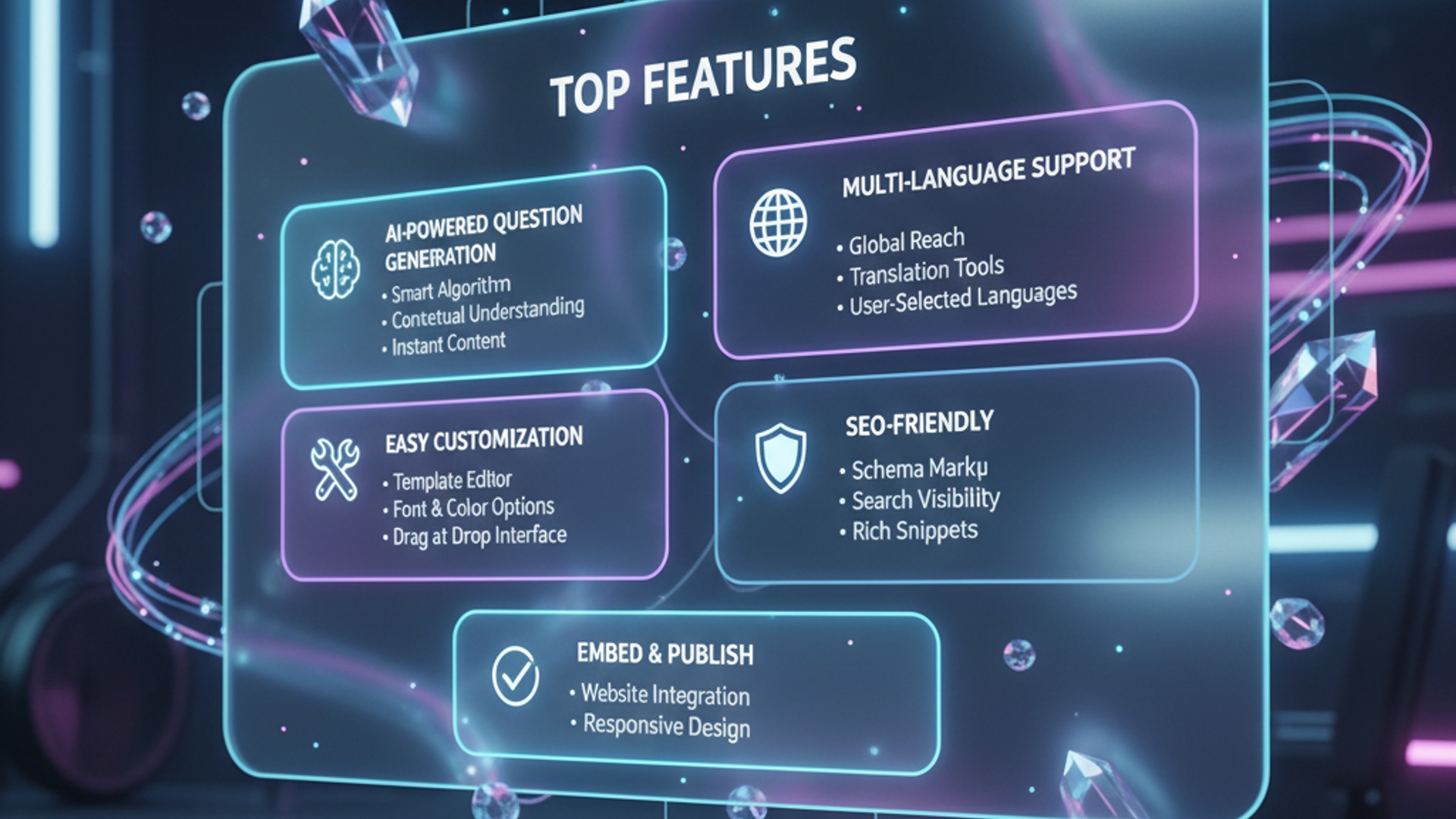
The best free FAQ generators prioritize ease of customization, allowing users to tailor the tone, style, and structure of the output.
This ensures the generated FAQs align with the website’s branding and audience needs.
Customizability is critical because no two websites are the same.
When we tested various tools, we found the following key features to be indispensable:
Custom Tone Settings: Adjust the language style to match your brand voice.
Topic-Specific Prompts: Generate FAQs based on specific keywords or themes.
Multi-Language Support: Cater to diverse audiences easily.
Styling Options: Improve readability with flexible formatting.
One standout feature is the ability to preview FAQs in real-time before publishing.
This minimizes errors and ensures output accuracy.
How AI Improves FAQ Generation
AI-powered FAQ generators use advanced technologies like natural language processing (NLP) and machine learning to deliver highly relevant results.
As a result, the generated FAQs effectively address user intent.
In our tests, AI-driven tools consistently outperformed manual methods.
They generated FAQs that were both comprehensive and nuanced.
For instance, AI enhances FAQ creation through:
Context Understanding: Delivers precise answers to user queries.
Continuous Learning: Adapts to trends and user behavior over time.
Structured Data Integration: Boosts search engine visibility.
Time Efficiency: Saves hours of manual effort.
If you’re looking to scale SEO alongside FAQs, read how an AI SEO content generator boosts organic traffic.
Time-Saving Benefits for Website Owners
Free FAQ generators save website owners significant time and effort by automating the creation and updating of FAQ sections.
Consequently, businesses can focus on more critical tasks.
Here’s how these tools help:
Automated Updates: Keeps FAQs relevant without manual effort.
Batch Processing: Generates multiple FAQs simultaneously.
Pre-Built Templates: Simplifies formatting and design.
SEO-Ready Output: Improves rankings effortlessly.
When we integrated FAQ schema tools, the time spent on manual formatting dropped significantly.
Furthermore, structured data improved visibility in search results.
How-To: Create and Optimize FAQs with a Generator
Using a free FAQ generator is straightforward.
However, optimizing the results requires a structured approach.
Follow these steps:
Step 1: First, select the right generator with customization features.
Step 2: Next, input relevant topics and keywords.
Step 3: Then, review and edit the generated FAQs.
Step 4: After that, integrate FAQ schema for SEO.
Step 5: Finally, monitor and update FAQs regularly.
By following these steps, you can maximize both SEO performance and user satisfaction.
Conclusion
A free FAQ generator for website simplifies content creation while improving user experience and SEO performance.
Additionally, it reduces support queries and enhances engagement.
As a result, your website becomes more efficient and user-friendly.
If you want to scale smarter, combine this with AI content automation for ecommerce growth.
Start using d2cbot to create smarter, faster, and more effective FAQs today.
About d2cbot
d2cbot is a trusted name in the Information Technology industry, specializing in AI-powered solutions for website optimization. With a proven track record of delivering advanced content generation tools, d2cbot has helped thousands of website owners streamline their workflows and improve user engagement. Visit their platform to explore innovative tools designed to make content creation effortless.
More Articles
How to Use a Free FAQ Generator for Your Website Effectively
Step-by-Step Guide to Using an Ecommerce FAQ Schema Generator
10 Proven Strategies to Increase Website Traffic Free and Effectively
FAQs
What is a free FAQ generator?
A free FAQ generator helps website owners create and organize frequently asked questions easily without any cost. It simplifies the process of adding helpful content to your site.
How can a free FAQ generator save time for website owners?
It automates the creation process, so you don’t need to manually design or format each FAQ. This saves time, especially for beginners or small businesses.
Does a free FAQ generator support customization?
Yes, most free FAQ generators allow you to customize the look, feel, and layout of your FAQs to match your website’s design.
Can FAQs created with a free tool improve user experience?
Absolutely! Well-organized FAQs help visitors find answers quickly, reducing frustration and improving overall satisfaction with your site.
Are free FAQ generators mobile-friendly?
Many free FAQ tools ensure the FAQs look great on phones and tablets, offering a seamless experience across devices.
Do free FAQ generators require coding knowledge?
Not at all. Most tools are designed for ease of use, so you can build and publish FAQs without writing any code.
Why should website owners use a free FAQ generator?
It’s a cost-effective way to enhance your site’s functionality by providing clear answers to common questions, boosting trust and engagement.