Quick Summary:
- AI product images tool improves visual quality and conversions
- Saves time and reduces photography costs
- Enables scalable image creation for ecommerce
- Helps maintain consistent branding across catalogs
Struggling to keep up with the demand for professional product images? You’re not alone. Inconsistent or low-quality visuals can deter customers and reduce conversions, costing ecommerce businesses lakhs in potential revenue. With d2cbot’s expertise in technology-driven solutions, AI product images tool solutions now make it easier than ever to produce polished, optimized product images that capture attention and build trust.
Using an AI product images tool, you’ll no longer need to rely on extensive manual editing or expensive photoshoots. Instead, these intelligent systems enhance your product imagery with precision, ensuring they align perfectly with your brand identity. Whether you’re looking to create images that pop on social media or thumbnails that drive clicks, this guide will show you how to integrate AI seamlessly into your workflow and make the most of its capabilities. Instead, these intelligent systems enhance your product imagery with precision. They ensure the images align perfectly with your brand identity.
How Does an AI Product Images Tool Work?
An AI product images tool uses advanced algorithms to generate high-quality product visuals by analyzing text inputs or existing images. It can create diverse backgrounds, simulate realistic lighting, and ensure image consistency for e-commerce use.
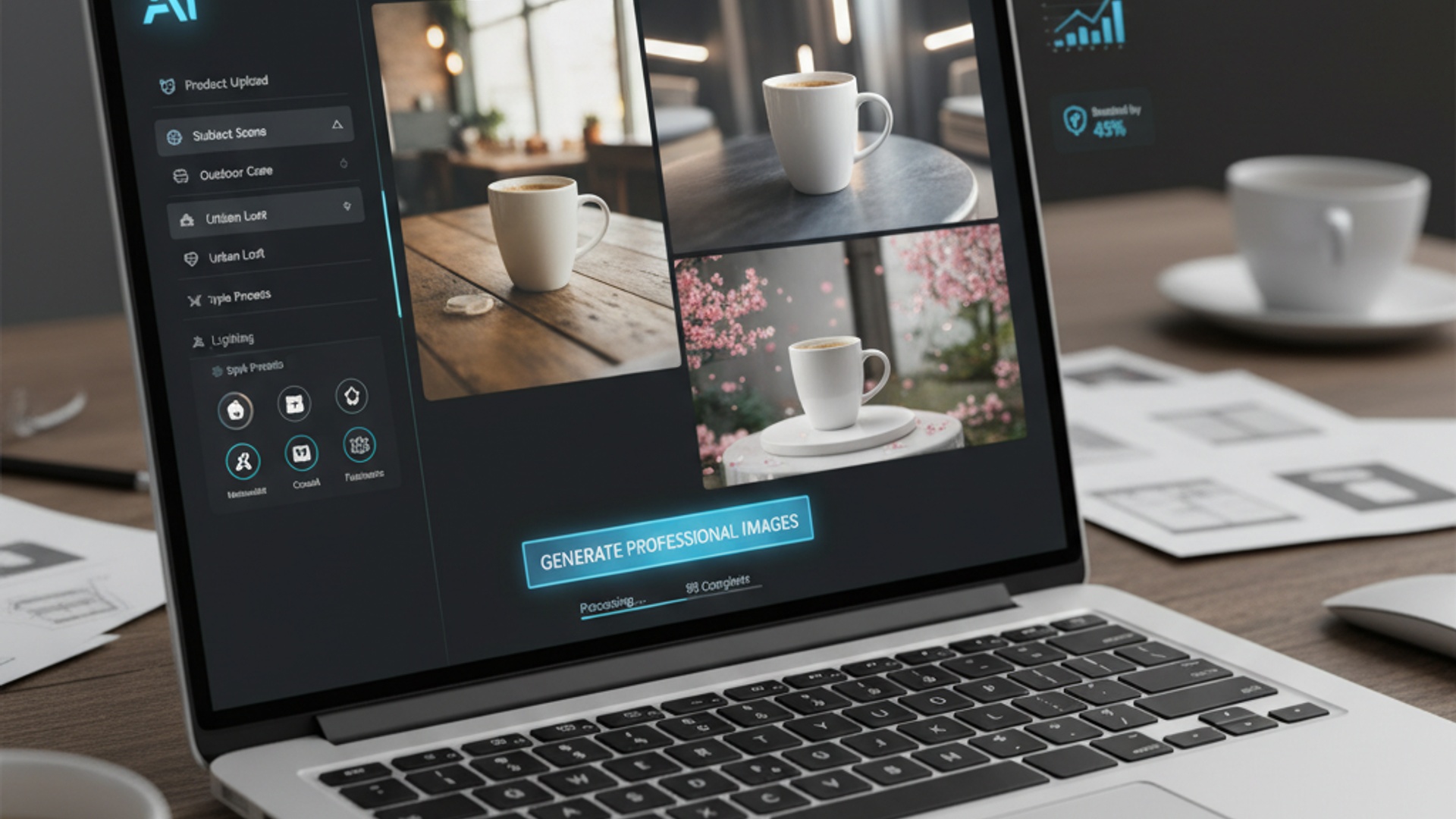
These tools leverage technologies like generative adversarial networks (GANs) or diffusion models to produce lifelike visuals tailored to your requirements. For example, you can input a product description and specify a scene, such as “a ceramic mug on a rustic wooden table,” and the tool will generate an image matching your vision. Many platforms also allow users to refine the output by adjusting angles, shadows, or adding lifestyle elements for better appeal.
In our experience, the key to maximizing these tools is understanding their capabilities. Platforms like Nightjar and Pebblely excel in creating highly customizable outputs, while services like Adobe Firefly focus on delivering professional-grade high-resolution images ready for immediate use.
Key Benefits of AI Product Images Tool
AI-generated product images save time and money while offering unparalleled customization. They ensure consistent quality across catalogs, improve e-commerce conversions, and eliminate the need for costly photography setups.
Using AI tools, businesses can create hundreds of product images in minutes, which is especially valuable for large-scale catalogs. According to Shopify research, high-quality product images improve conversion rates by up to 30%, making it a critical investment for online stores.
Other benefits include:
- Cost savings: Eliminates expenses for studio rentals, photographers, and models.
- Consistency: Uniform lighting, style, and angles across images enhance brand identity.
- Speed: Generate visuals instantly compared to weeks required for traditional photoshoots.
- Flexibility: Tools can create multiple angles, lifestyle shots, and variations from one source.
We’ve seen businesses in apparel, home goods, and electronics thrive by leveraging AI-generated images tailored to their niche. Tools like Magic Studio or Claid.ai specialize in these applications, offering features to scale image production while maintaining creative control.
How to Integrate AI Product Images Tool Into Workflows
To integrate AI tools into workflows, start by identifying your imaging needs, selecting the right platform, and training your team to maximize the tool’s capabilities. Regularly evaluate outputs to ensure quality consistency.
The integration process begins with understanding your goals. Are you looking to replace traditional photography completely or augment existing visuals? Once clear, choose a platform like Pixelcut or WizStudio based on your requirements. For example, Pixelcut is ideal for creating simple product shots, while WizStudio offers advanced customization for complex scenes.
Here’s a typical workflow:
- Input product details or upload source images.
- Define the scene: Specify elements like background, props, and angles.
- Generate images: Use batch processing for larger catalogs.
- Review and edit: Adjust shadows, lighting, or details as needed.
- Export: Download high-resolution images optimized for your e-commerce platform.
When we tested integration with Shopify, we found tools like Pebblely seamlessly exporting images formatted to fit Shopify’s listing requirements, saving hours of manual resizing. The key is to ensure compatibility with your existing systems, whether it’s your CMS, PIM, or listing software.
Tips for Optimizing AI Product Images Tool for Sales
Optimize AI-generated visuals by focusing on image clarity, relevance, and emotional appeal. Use lifestyle scenes that connect with your target audience and ensure consistent branding across your catalog.
Clear, high-resolution images are essential for e-commerce success. Based on our observations, blurry or poorly lit product images can decrease buyer trust and lead to fewer conversions. Tools like Adobe Firefly offer reliable high-res outputs, but adjustments like refining lighting and removing visual distractions can make a big difference.
Here are actionable tips:
- Prioritize relevance: Ensure the background complements the product and aligns with customer expectations.
- Use lifestyle shots: Products shown in relatable settings (e.g., a mug on a desk) drive emotional engagement.
- Maintain consistency: Use similar angles, lighting, and color tones across all images in your catalog.
- Test variations: Create multiple versions of images and A/B test them to identify high-performing visuals.
- Leverage branding: Include logos or signature styles subtly within the image.
In most cases, AI images with human interaction, like someone holding or using the product, perform better. For example, tools like Nightjar can simulate natural hand positions to make products appear more relatable.
How-To: AI Product Images Tool in 5 Steps
Follow these steps to effectively use AI product images tools for boosting sales.
Step 1: Identify your needs. Decide whether you need lifestyle shots, plain product images, or a mix of both.
Step 2: Choose the right platform. Compare features and pricing to find a tool that fits your goals. Platforms like Pebblely and Claid.ai are great for e-commerce-specific needs.
Step 3: Customize prompts. Use specific descriptions to generate images that reflect your brand identity, such as “sleek black jacket on a snowy background.”
Step 4: Edit and refine. Adjust lighting, shadows, and other elements for polished visuals that stand out.
Step 5: Test and deploy. A/B test images on your e-commerce listings to find the most engaging visuals, then use them consistently across platforms.
Conclusion
AI product images tool solutions can revolutionize your e-commerce store by delivering high-quality visuals, improving consistency, and reducing operational costs. From automating image creation to enabling scalable workflows, these tools give you a competitive edge in a crowded market.
If you started this journey looking to improve your product visuals, you now have a clear roadmap to leverage AI effectively. Whether it’s creating lifestyle shots or optimizing images for conversions, the right approach can significantly impact your sales.
Ready to scale your ecommerce visuals? Combine Shopify product title optimization with AI content automation for ecommerce to maximize both visibility and conversions.
About d2cbot
d2cbot is a leader in leveraging AI and automation technologies for businesses in the e-commerce sector. With years of expertise in IT solutions, d2cbot helps brands simplify workflows and improve efficiency, making them a trusted partner for innovation in the South Asian market. Visit their site to explore more cutting-edge tools designed to transform your operations.
More Articles
How an AI Product Titles Generator Boosts Sales and Saves Time
How AI Content Automation Boosts Sales and Efficiency for Your Ecommerce Business
Shopify Product Title Optimization: Tips to Maximize Clicks and Sales
Automated Content Creation Tools That Streamline Marketing Workflows
AI Automation Benefits: 7 Ways to Streamline Business Operations Fast
FAQs
How can an AI product images tool improve my online store?
It can help create high-quality, professional images that attract customers and increase sales. You can save time and reduce costs compared to hiring photographers or designers.
Can I customize product images using such a tool?
Yes, most tools let you adjust backgrounds, lighting, and other elements to match your store’s branding and style.
Is it expensive to use an AI-powered image tool for my store?
Costs vary, but many tools are priced affordably with plans starting as low as a few hundred rupees per month. Some even offer free trials to test the features.
Do I need design skills to use an AI image tool?
Not at all. These tools are built to be user-friendly, so even beginners can create great images with minimal effort.
How does using AI images affect website loading times?
Many tools optimize images for web use, ensuring they load quickly. Fast-loading images improve user experience and can boost your search engine rankings.
Are AI-generated product images suitable for Indian customers?
Yes, you can tailor images to suit Indian preferences and cultural contexts, helping your products connect better with local customers.
Can AI tools remove backgrounds from my product photos?
Yes, most tools include background removal features, making it easy to create clean, professional-looking photos for your store.