
Quick Summary
- An AI tool to rewrite Amazon product listings to Shopify solves a real formatting problem. Amazon listing conventions do not translate directly to a standalone brand storefront.
- D2C Bot reads existing product data and rewrites titles, descriptions, and FAQs in a format built for Shopify, not for a marketplace algorithm.
- Brands migrate for real financial reasons. Marketplace referral fees eat into margin in a way a direct storefront does not.
- A rushed, literal copy-paste from Amazon to Shopify usually reads poorly and converts worse than a properly reformatted listing.

Why Amazon Listings Do Not Work As-Is on Shopify
Amazon product listings are written for Amazon’s specific format: keyword-stuffed titles built for its internal search algorithm, bullet points instead of narrative descriptions, and a layout built around comparison shopping within the platform. None of that translates directly to a Shopify storefront, where the brand controls the full page and the goal shifts from winning an algorithm to building a cohesive brand experience.
Brands making this move often have real financial motivation behind it. Amazon’s referral fees typically run 15 to 45 percent of gross revenue depending on category, and third-party resellers buying at wholesale prices compress a brand’s margin even further on top of that. An AI tool to rewrite Amazon product listings to Shopify removes the biggest bottleneck in actually making this transition: rewriting every listing for a completely different format.
What D2C Bot Does During a Migration
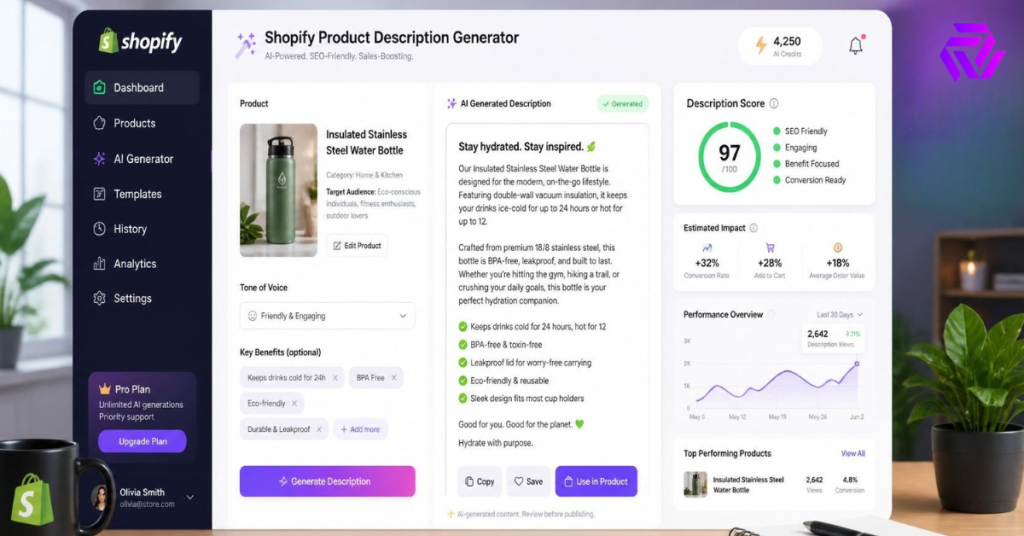
D2C Bot reads a product’s existing data, whatever attributes and details are available, then rewrites titles, descriptions, and FAQs specifically for Shopify’s format. Titles shift from keyword-heavy Amazon style toward D2C Bot’s AI product title generator for CTR-first titles approach, built around search intent and click-through rather than internal marketplace ranking factors.
Descriptions move from bullet-point feature lists toward narrative, brand-aligned copy through D2C Bot’s AI product description generator for high-converting copy, since a standalone storefront benefits from copy that builds a brand story, not just a spec sheet.
Manual Migration vs. D2C Bot
A manual migration means exporting the full Amazon catalog, hiring writers or assigning internal staff to rewrite every listing for the new format, and reviewing each one before it goes live on Shopify. For a catalog of any real size, that project easily stretches past a month before the store can launch with complete content.
D2C Bot processes the migration as a batch job, reading existing product data and generating Shopify-formatted content across the full catalog in one workflow. The brand’s role shifts to review and light editing rather than a full rewrite from scratch.
| Step | Manual Migration | D2C Bot |
|---|---|---|
| Rewriting 200 listings | Weeks, multiple writers | One batch generation run |
| Format conversion | Manual restructuring per listing | Applied automatically |
| Consistency across catalog | Depends on writer | Consistent throughout |
| Launch timeline | Delayed until content is ready | Content ready same week |
What Changes Beyond Just Titles and Descriptions
A full migration touches more than the two main content fields. FAQs need to shift too, since Amazon’s Q&A section works differently from an on-page FAQ built for a Shopify product page. D2C Bot’s AI FAQ generator for Shopify products builds this content in the Shopify-appropriate format directly, rather than porting over Amazon Q&A entries that were written for a different context.
Reviews present a trickier challenge, since Amazon reviews cannot simply move to Shopify, they belong to the marketplace, not the brand. D2C Bot’s AI product review generator to build authentic social proof helps bridge that specific gap for the launch period, while the brand rebuilds its own review history directly on Shopify going forward.
Comparing Migration Approaches
| Approach | Speed | Content Quality | Cost | Shopify-Native Format |
|---|---|---|---|---|
| D2C Bot | Fast, batch generation | Rewritten for Shopify, not copy-pasted | Flat subscription | Yes |
| Manual rewrite by internal team | Slow, weeks to months | High if given enough time | Staff time cost | Yes |
| Freelance copywriters per listing | Slow, one at a time | Varies by writer | Per-listing fees | Yes |
| Direct copy-paste from Amazon | Fast | Poor, wrong format entirely | Free | No |
Direct copy-paste is the fastest option and also the worst one. Amazon-style bullet points and keyword-stuffed titles read as out of place on a branded Shopify storefront, and shoppers notice content that feels transplanted from somewhere else.
Planning a Realistic Migration Timeline
A full catalog migration benefits from a staged rollout rather than flipping every listing live at once. Start with your top-selling twenty to thirty products, since these carry the most traffic and the most revenue risk if something reads poorly at launch. Review D2C Bot’s output on this smaller batch first, checking tone and accuracy before trusting it with the full catalog.
Once that initial batch confirms the output matches your brand voice, scale up to the rest of the catalog in the same workflow. Most brands can move from an Amazon-only listing structure to a fully Shopify-formatted catalog within one to two weeks using this staged approach, compared to a month or more with a fully manual rewrite project.
Common Migration Mistakes to Avoid
A few mistakes show up repeatedly in Amazon-to-Shopify migrations.
- The first is keeping Amazon-style keyword stuffing in Shopify titles out of habit, since a title built for Amazon’s internal search does not need the same repetitive keyword density on a page Google indexes directly. D2C Bot’s title formula avoids this by design, but a brand editing generated content manually should watch for the same habit creeping back in.
- The second common mistake is porting over bullet-point descriptions unchanged, missing the chance to build actual brand narrative once the storefront is fully under the brand’s control. Amazon bullet points exist because Amazon’s format demands them, not because they are the best way to sell a product. A Shopify description can do more, tell a short story, address a specific customer pain point, or build anticipation, none of which fits neatly into a bullet list.
- The third mistake is neglecting FAQs entirely during migration, assuming Amazon’s Q&A section covered this need well enough already. It did not, since Amazon Q&A entries are often outdated, incomplete, or written by other shoppers rather than the brand itself. A fresh, brand-controlled FAQ section built for the new storefront closes gaps that the old Q&A section never actually addressed.
Conclusion
Migrating from Amazon to Shopify involves more than moving product data. It requires rewriting every listing for a completely different format and purpose.
An AI tool to rewrite Amazon product listings to Shopify removes that rewrite bottleneck, converting titles, descriptions, and FAQs directly from existing product data. D2C Bot handles this migration as a single batch workflow instead of a month-long manual project.
Install D2C Bot from the Shopify App Store for a free trial and move your catalog over on a timeline that actually works for your launch.
More Articles / Resources
- AI product title generator for CTR-first titles
- AI product description generator for high-converting copy
- AI FAQ generator for Shopify products
- AI product review generator to build authentic social proof
FAQs
Why do Amazon listings need to be rewritten instead of just copied to Shopify?
Amazon listings use keyword-stuffed titles and bullet-point formatting built for a different platform and algorithm. That format reads as out of place on a branded Shopify storefront and typically converts worse than properly reformatted content.
How long does a full catalog migration from Amazon to Shopify take with D2C Bot?
Most brands can move a full catalog over within one to two weeks using a staged rollout, starting with top-selling products before scaling to the rest of the catalog.
Can I bring my Amazon reviews over to my new Shopify store?
No, reviews belong to the marketplace, not the brand. D2C Bot’s review generator can help bridge the gap during launch while your Shopify store builds its own genuine review history.
Is migrating away from Amazon entirely necessary, or can I run both?
Many brands run a hybrid model, keeping Amazon for reach while building Shopify as the primary channel for margin and customer ownership. A full migration is not required to benefit from Shopify-formatted content.