Why Your Shopify Store May Have an App Sprawl Problem

Adding one more app can feel like progress. Every time your D2C brand hits an operational bottleneck, the Shopify App Store offers an alluring, one-click solution. Need custom discounts? Install an app. Want back-in-stock alerts? Grab another plugin. Need subscriptions, review collection, or loyalty points? There is a quick install button for each one.
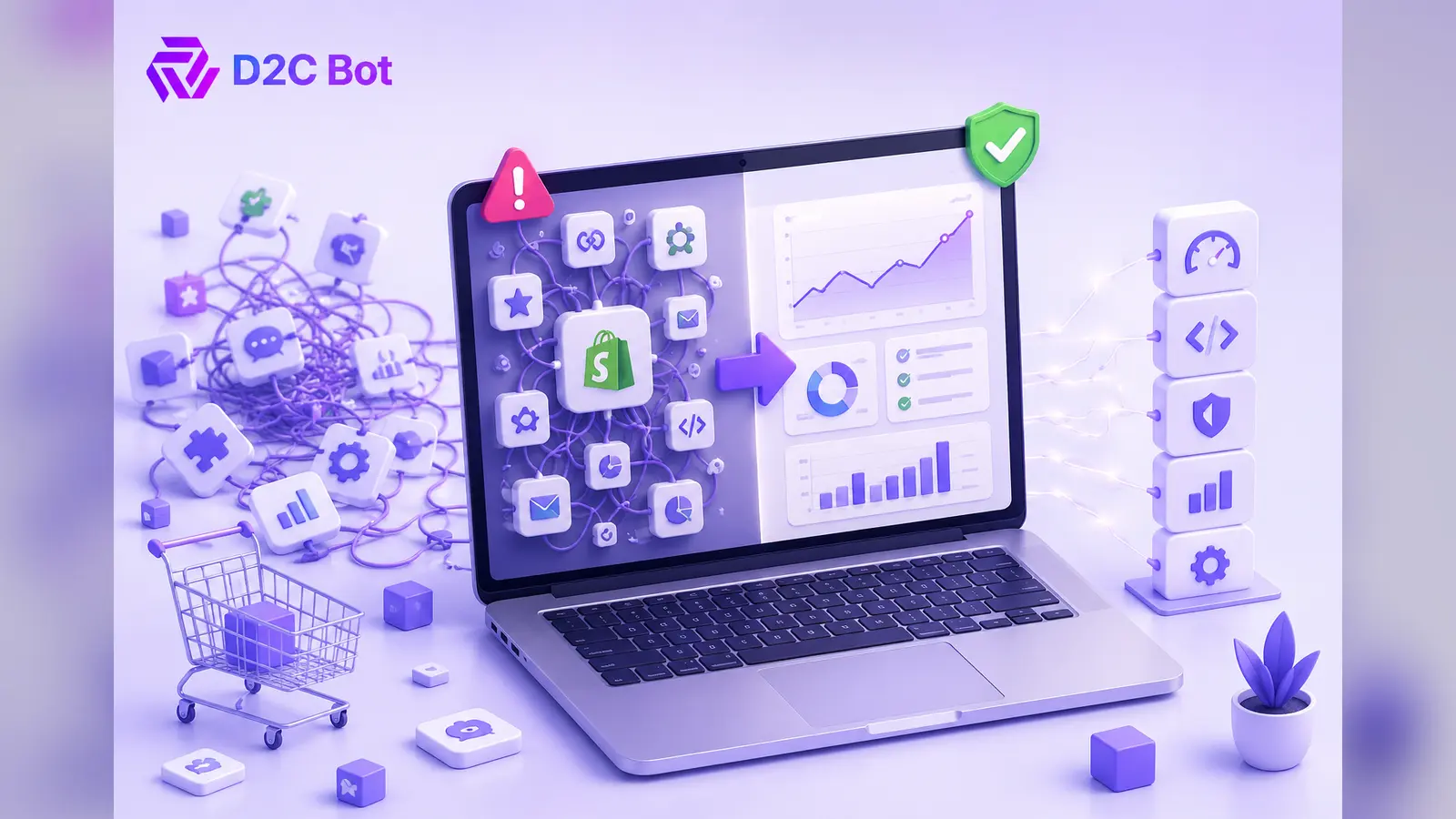
Before you realize it, your admin dashboard resembles a fragmented patchwork of third-party software. What started as a quick fix turns into an unmanageable web of disconnected tools. This accumulation of single-purpose software is known as app sprawl, and it subtly undermines your growth. Instead of speeding up your operations, your tech stack begins to create process friction, ballooning software costs, slower team execution, and unreliable business data. Scaling a modern brand requires shifting away from app accumulation toward unified systems.
What Is Shopify App Sprawl?
Shopify app sprawl occurs when a store relies on dozens of independent, single-use plugins to run daily operations. Fast-growing brands typically experience this because teams prioritize speed over strategy. When an immediate need arises, installing a new subscription software feels much faster than building an integrated workflow.
Over time, these disconnected tools accumulate quiet operational costs. Every additional app introduces potential code conflicts, distinct user interfaces, separate support channels, and recurring monthly fees. The real danger is not just the software line item on your profit and loss statement; it is the organizational tax your team pays every day. Simplifying your systems eliminates unnecessary technical noise, protects site stability, and ensures your staff spends time driving revenue rather than managing software subscriptions.
Sign 1 — Your Apps Don’t Communicate With Each Other
When your software stack operates in isolated silos, your team becomes the human bridge connecting them. You might have a subscription app handling recurring orders, a separate inventory manager tracking warehouse counts, and an email platform executing customer flows. If these tools cannot natively sync information, your operational workflow breaks down quickly.
The Cost of Disconnected Data
Without seamless integrations, your employees end up spending hours copying and pasting data between systems manually. Inventory counts updated in your warehouse app do not instantly reflect in your pre-order plugin, leading to overselling or delayed fulfillments. Broken automations mean customer support agents must cross-reference three different dashboards just to confirm a order refund status. Furthermore, reporting inconsistencies start to surface because each tool categorizes basic metrics like revenue, returns, or customer lifetime value slightly differently. This lack of communication forces your team into reactive fire-fighting instead of proactive channel management.
Sign 2 — Monthly Software Costs Keep Increasing
A ten-dollar monthly fee for an upsell tool seems negligible when you first install it. A twenty-dollar app for photo reviews feels like an easy decision. However, micro-subscriptions compound rapidly as your store scales, turning minor software expenses into major recurring overhead.
Subscription Overload and Feature Overlap
When you review your store’s financial statements, you might notice your software spend climbing faster than your order volume. This usually happens because brands end up paying for overlapping features across multiple platforms. Your customer service platform might include basic marketing automation, yet you pay for a separate messaging tool that does the exact same thing. Hidden operational expenses also emerge in the form of tier upgrades; as your traffic grows, multiple apps jump into higher pricing tiers simultaneously. If your software line items keep expanding while your team spends more time troubleshooting than executing, your app stack ROI is failing.
Sign 3 — Your Team Uses Multiple Workarounds
A clear indicator of app sprawl is how dependent your operations team becomes on custom spreadsheets and manual workarounds. When standard business software fails to talk to adjacent tools, employees inevitably build off-platform systems to keep order fulfillment and marketing efforts running smoothly.
The Dangers of Spreadsheet Dependency
If your weekly operations rely on exporting CSV files from one app, reformatting them manually, and importing them into another, your stack is broken. These manual processes introduce significant human error, create communication gaps across departments, and slow down everyday execution. A process that should take two minutes ends up taking two hours because someone has to double-check formulas across disconnected sheets. New hires face steep learning curves because company knowledge lives in undocumented workarounds rather than intuitive software workflows. When your staff spends more energy maintaining workarounds than serving customers, your operational agility declines dramatically.
Sign 4 — Reporting and Data Don’t Match
Data-driven decision-making becomes impossible when your software platforms present conflicting metrics. When your marketing attribution app reports 500 conversions, your Shopify admin shows 420 orders, and your Google Analytics displays completely different numbers, you lose confidence in your primary analytics.
Conflicting Dashboards and Attribution Chaos
Discrepancies happen because separate apps track events, sessions, and attribution windows using different rules. An email marketing plugin might claim revenue credit for a purchase that a paid social app also claims, artificially inflating your perceived marketing returns. This attribution chaos creates severe decision-making challenges for founders and marketing leads trying to allocate capital efficiently. Instead of focusing on growth strategies, executive meetings turn into debates about which dashboard holds the actual truth. Reliable business growth requires a single source of truth across customer acquisition, inventory velocity, and net profitability.
Sign 5 — Launching New Campaigns Takes Longer Than It Should
In modern D2C commerce, speed is a major competitive advantage. If launching a simple holiday promotional campaign or dropping a new product collection takes weeks of technical prep, your software stack has become too complex.
Complex Workflows and Tool Dependencies
App sprawl turns simple marketing ideas into engineering challenges. To launch a unified campaign, your team might need to configure custom fields in a page builder, adjust tagging in a review app, create discount rules in a third-party offer plugin, and update flow triggers in your messaging tool. Each added layer creates dependencies and potential failure points. If one tool glitches, the entire launch stalls. Multiple approvals become necessary just to ensure a new feature does not break site performance or mess up existing integrations. This friction reduces your market agility, allowing leaner, more integrated competitors to execute faster.
Comparing Stack Architectures
Understanding the structural differences between a bloated application setup and a streamlined operational environment highlights why integration matters for D2C growth.
| Evaluation Metric | Healthy Shopify Stack | App Sprawl Symptoms |
| Number of Tools | Lean, unified core with essential additions | 20+ single-purpose, disconnected apps |
| Integrations | Native API sync and automated workflows | Manual CSV exports and fragile zap links |
| Data Consistency | Single source of truth across operations | Conflicting numbers across multiple dashboards |
| Team Efficiency | High speed; focus on strategic execution | Low speed; focus on fixing broken workflows |
| Operating Costs | Predictable, high ROI software budget | Ballooning monthly subscriptions and hidden fees |
| Decision-Making Speed | Fast, confident decisions based on clear data | Delayed choices caused by metric discrepancies |
Shopify Stack Health Checklist
Use this 8-point checklist to evaluate whether your current tech stack helps your business scale or slows your team down:
- You use more than 15 third-party apps to run daily operations.
- Staff members routinely export CSV files to move data between platforms.
- You pay for software subscriptions that have overlapping functionality.
- Your marketing dashboards present conflicting conversion numbers.
- Launching a promotional banner requires updates across multiple apps.
- Former staff members still have active logins to forgotten software tools.
- Custom code from uninstalled apps remains in your Shopify theme files.
- Your monthly software bill increases faster than your total revenue.
Conclusion
Scaling a successful D2C brand requires a strong operational foundation built on connected systems, not a chaotic collection of single-purpose software. While installing individual apps seems like a quick solution for immediate bottlenecks, unmanaged app growth creates process friction, hides software costs, and produces conflicting analytics. By actively auditing your current software setup, you eliminate technical debt and give your staff the clarity needed to execute faster. Unifying your core business workflows ensures high operational efficiency, protects site stability, and establishes scalable infrastructure built for long-term profitable growth.
Simplify your stack by auditing your Shopify apps, removing unnecessary tools, and building workflows that help your team move faster with less complexity.
More Articles
- https://d2cbot.com/blog/automation/proven-automation-best-practices/
- https://d2cbot.com/blog/seo/master-e-e-a-t-optimization-search-rankings/
- https://d2cbot.com/blog/ai-and-business/ai-driven-decision-making-business-strategies/
- https://d2cbot.com/blog/seo-tools/how-to-use-ai-seo-content-generator-2/
FAQs
Most high-performing Shopify stores operate efficiently with fewer than 10 to 12 carefully selected tools. Relying on more than 15 third-party apps often signals potential software redundancy and operational complexity.
App sprawl occurs when growing D2C brands fix short-term operational problems with isolated software installations. Without a centralized strategy, different departments install single-purpose apps independently, leading to unmanaged tech growth.
E-commerce brands should conduct a formal software audit quarterly. Reviewing active app subscriptions, user permissions, theme code impact, and feature usage helps eliminate redundant software before costs compound unexpectedly.
Yes. Excessive third-party apps load multiple external scripts, stylesheets, and tracking pixels onto your store. This heavy code bloat slows site speed, increases page load times, and negatively impacts mobile search engine rankings.
Founders should prioritize consolidating overlapping software tools, establishing unified data pipelines, and removing unused apps. Focusing on integrated solutions over fragmented tools improves team productivity and reporting accuracy.